12 Features to Look for in Mystery Shopping Software

Most mystery shopping tools look similar in a sales demo. There is an app, a questionnaire, a dashboard with a few charts. The differences show up three months later, when you are running your second or third cycle across many stores and need to trust every number on the screen.
This checklist covers the 12 features that matter most once a programme is live. Use it to compare vendors on the same terms, and to ask sharper questions in demos.
Features for the shopper in the field
The quality of your data starts with the person in the store. If the shopper’s tools are clumsy, reports will be late, incomplete or wrong.
1. A native app on Android and iOS
A browser form is not enough. Shoppers need an app that works on the phones they already carry, keeps the brief and questionnaire handy, and guides them through the visit step by step.
2. Geo-stamped photos
Every photo should carry the GPS address, date and time it was taken. This is the simplest way to confirm the shopper was at the right store at the right time, and it settles most disputes before they start.
3. Proof checklists
The app should tell the shopper exactly which evidence is required: a photo of the shelf, the bill, the visiting card, the store entrance. Clear checklists cut down on reports that come back for missing proof.
4. Uploads that survive weak networks
Malls, basements and tier-3 towns often have patchy signal. If a report fails halfway through upload and the shopper has to start again, you lose data and goodwill. Look for uploads that resume rather than restart.
5. Audio capture and transcription
Recording the conversation, where the programme and local rules allow it, gives you an accurate account of what the staff member said. The best platforms transcribe the audio and pre-fill answers for the shopper to verify, which saves time and reduces memory errors.
Features for the audit operations team
Behind every programme is a team scheduling visits, chasing submissions and checking reports. These features decide how much of that work is manual.
6. Best-match shopper ranking
Instead of picking shoppers by memory, the platform should rank them for each assignment based on location, profile and past performance. Better matching means more realistic visits and fewer drop-outs.
7. Automated outreach
Assignments, reminders and follow-ups should go out automatically over app push, email, WhatsApp and SMS. Your team should only step in when something needs a person.
8. Quality checks on every report
Sampling a few reports per cycle leaves gaps. AI-assisted checks can review every report for missing answers, contradictions and weak proof, and flag the ones a human should look at.
9. Photo fraud detection
As image tools get better, so do the shortcuts. Your platform should detect reused photos, edited images, AI-generated pictures and screenshots, and flag oddities like wrong timing or a sudden device change.
Features for the brand team
The last group is about what your managers see and do with the results. If this part is weak, the programme becomes a reporting exercise rather than a tool for change.
10. Dashboards that go from India to one store
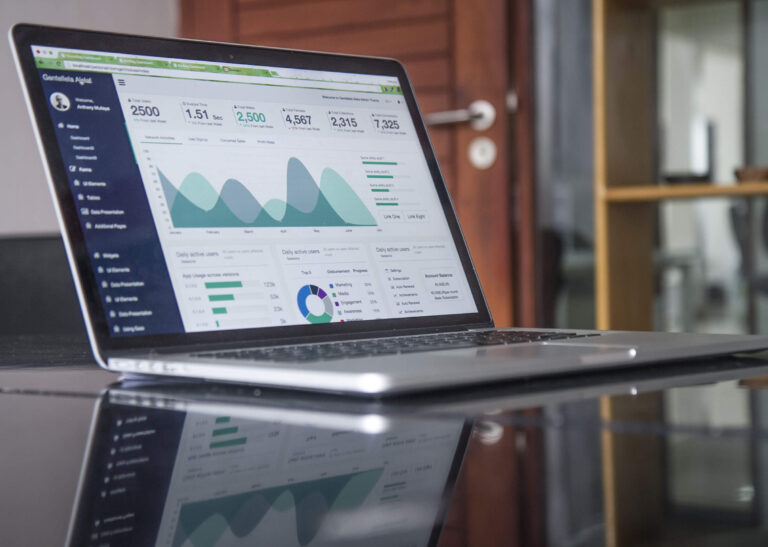
You should be able to start at the national score and drill down to a city, a store and a single report in a few clicks. Section heatmaps show at a glance which part of the customer journey is weakest.
11. Audit-cycle comparison and store trends
One cycle tells you where you are. Two or more tell you whether you are improving. Look for side-by-side cycle comparison and store-level trend lines.
12. Action tracking
Findings only matter if someone fixes them. The platform should let you turn an improvement area into an action, assign it to an owner and track it to closure. An AI summary of each report (what went well, what didn’t, what to improve) makes this far quicker for store managers to read.
A simple way to score vendors
Put the 12 features in rows and your shortlisted vendors in columns. For each cell, mark one of three things:
- Live and shown in the demo with real data.
- Available but not shown, or only described.
- Not available or on a roadmap.
Only count the first column when you compare. Features that are only described tend to be weaker than expected.
Then ask each vendor to walk through one real report end to end: shopper submission, quality check, brand dashboard and the action that came out of it. If they cannot show that flow smoothly, the individual features will not save you.
Common gaps to watch for
A few patterns come up often when brands evaluate tools:
- Strong dashboards, weak field app. Pretty charts built on unreliable data.
- Checks that cover only a sample. Fraud and errors slip through in the unchecked share.
- No store-level access. Results stay with the head office and never reach the people who can fix things.
- Exports only. If the main output is a PDF, managers will not log in.
Our older post on how mystery shopping has gone hi-tech shows how far the tools have moved since the days of paper questionnaires, and this list reflects where things stand now.
Questions to ask in every demo
Feature lists are easy to copy. The questions below tend to reveal how a platform behaves on a real programme, so ask them of every vendor in the same order.
- Show me a report that failed a quality check. What was flagged, and who decided?
- Show me a photo that was rejected as reused or edited. How was it caught?
- What does a store manager see when they log in, and what can they not see?
- How do I compare this cycle with the previous one for one city?
- If a shopper drops out the day before a visit, how is the slot refilled?
- Can two different field agencies work on my programme on the same platform?
- How quickly does a submitted report reach my dashboard after it is approved?
Pay attention to how the answers are given. A vendor who opens the platform and shows you is in a different place from one who explains it on a slide. If you want to see these answers on a live programme, you can book a walkthrough with our team.
Matching features to the size of your programme
Not every brand needs every feature on day one. A useful rule of thumb:
- Up to a few dozen stores, one or two cycles a year. Prioritise the shopper app, geo-stamped photos and clean reports.
- Many stores across several cities, quarterly cycles. Add automated outreach, quality checks on every report and cycle comparison.
- Large national networks or multiple agencies. You will need all twelve, plus agency support and strict store-level access.
Choosing a platform that covers the larger stage means you will not have to migrate data later as the programme grows.
How FloorWalk helps
FloorWalk’s mystery shopping software was built from running real programmes since 2014, and covers every feature on this list. Shoppers use Android and iOS apps with geo-stamped photos, proof checklists, audio-to-report and uploads that survive weak networks. The platform ranks shoppers by best match, handles outreach over app push, email, WhatsApp and SMS, and runs AI-assisted quality checks and photo fraud detection on every report. Brand teams get dashboards with section heatmaps, city and store performance, cycle comparison, store trends, AI summaries and action tracking.
Frequently asked questions
Which of these features matters most?
It depends on your biggest pain today. If you doubt your data, start with geo-stamped photos, fraud detection and quality checks. If findings are not being used, start with dashboards and action tracking.
Can a brand build these features in-house?
Some brands try, usually starting with a form and a spreadsheet. The field app, fraud checks and quality layer tend to be the hardest parts to build and maintain.
Do these features matter for small programmes?
Yes, though the time saved is smaller. Verified proof and clear reports help even if you only audit a few stores.
Where can I see how brands use FloorWalk?
The mystery shopping for brands page explains how programmes are set up for clients.
See your stores through your customers’ eyes
FloorWalk runs mystery shopping across 350+ Indian cities and 22+ countries on its own AI-powered audit platform.